
AirServer Connect provides an API that lets you integrate the device with your own applications and services.
Typical use cases include:
- Remotely managing and monitoring AirServer devices
- Automating deployment and configuration
- Handling custom events and notifications
- Integrating AirServer with existing dashboards or third-party systems
Enabling the API
The API is disabled by default. To turn it on, log in to the AirServer Connect Device Management as Administrator and go to Security.
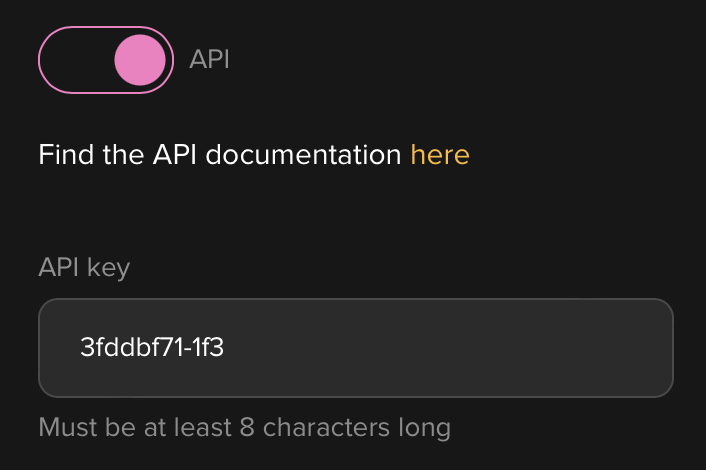
Scroll to the API section and toggle the switch on. An API key is automatically generated. You can use this key as-is or replace it with a custom key.
Full API documentation
The full API reference, including all available endpoints, authentication, events, and schemas, is available at: https://download.airserver.com/doc/connect-api/
You can also reach the documentation directly from the Security section in Device Management, using the "Find the API documentation here" link next to the API toggle.
Note: API support was introduced in firmware version 2024.07.12. Make sure your device is running that version or later.